Stop retyping the same prompt.
Save the wording that worked, once. Then bring it back in ChatGPT, Gemini, Copilot (personal), Claude, Perplexity or Grok by typing / and a keyword in the chat box. Every chat you open stays searchable, too.
Qarta is a Chrome extension for your computer — open this page in Chrome on a desktop or laptop to install it.
Free on all six AIs, no account needed. Qarta has no server of its own, so your prompts and chats never reach us.
However you write, Qarta meets you there.
One saved library, three entry points — the chat box, the on-page panel, or the side panel.
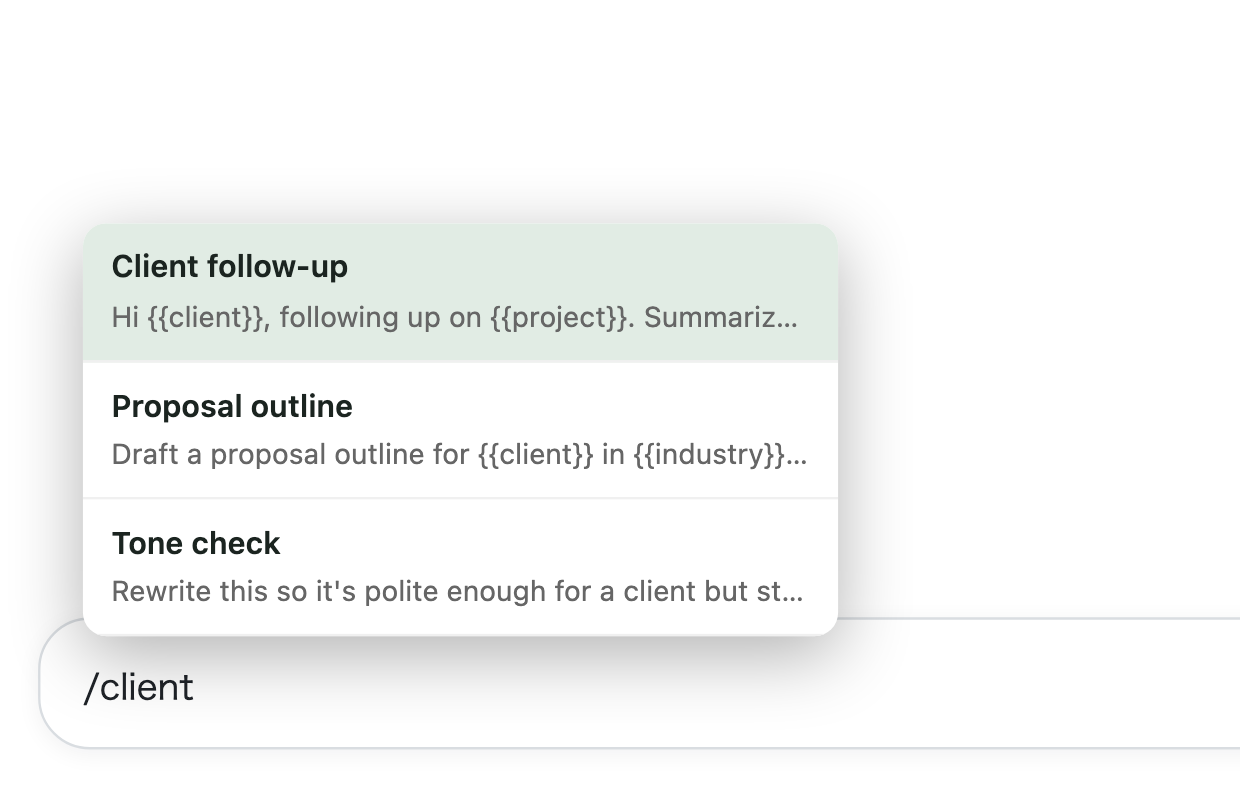
Search and insert a saved prompt right from the chat box, without touching the mouse.
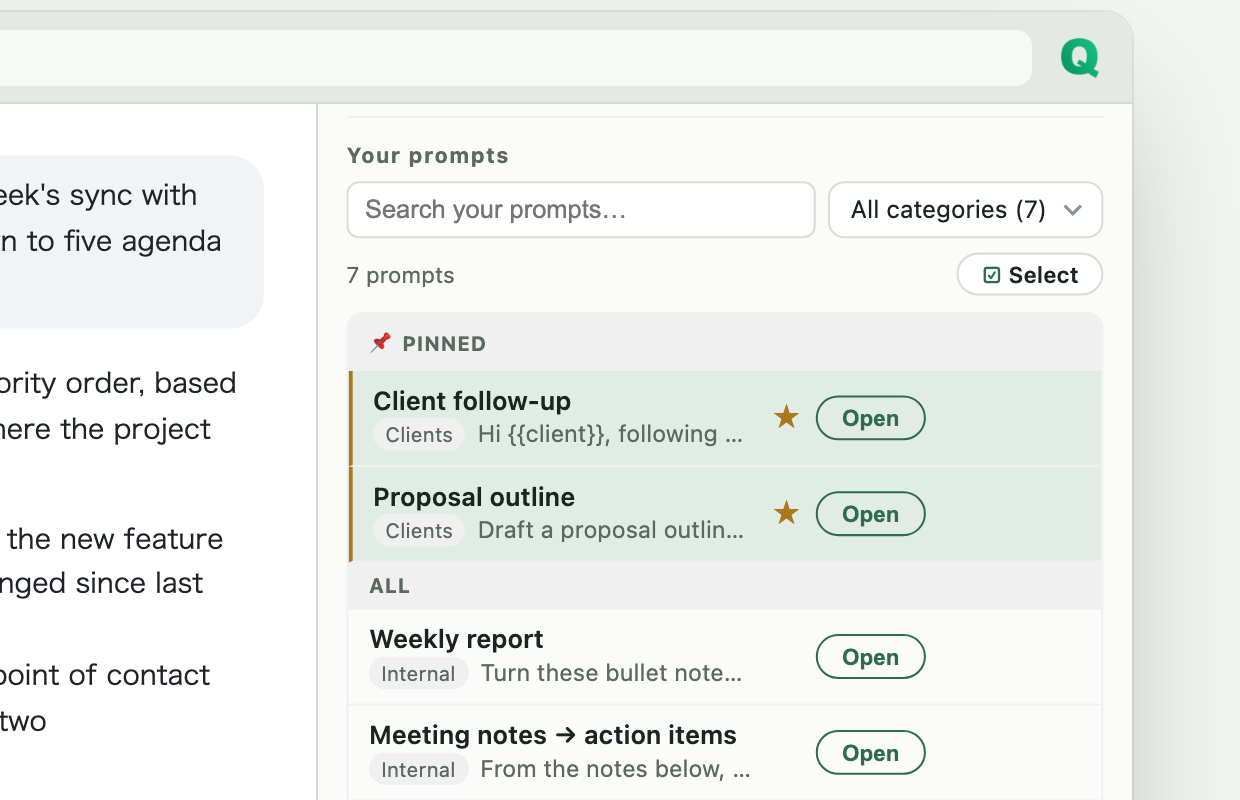
Side panel
Click the toolbar icon and Qarta stays open next to your chat — write, organize, and send to several AI sites at once.
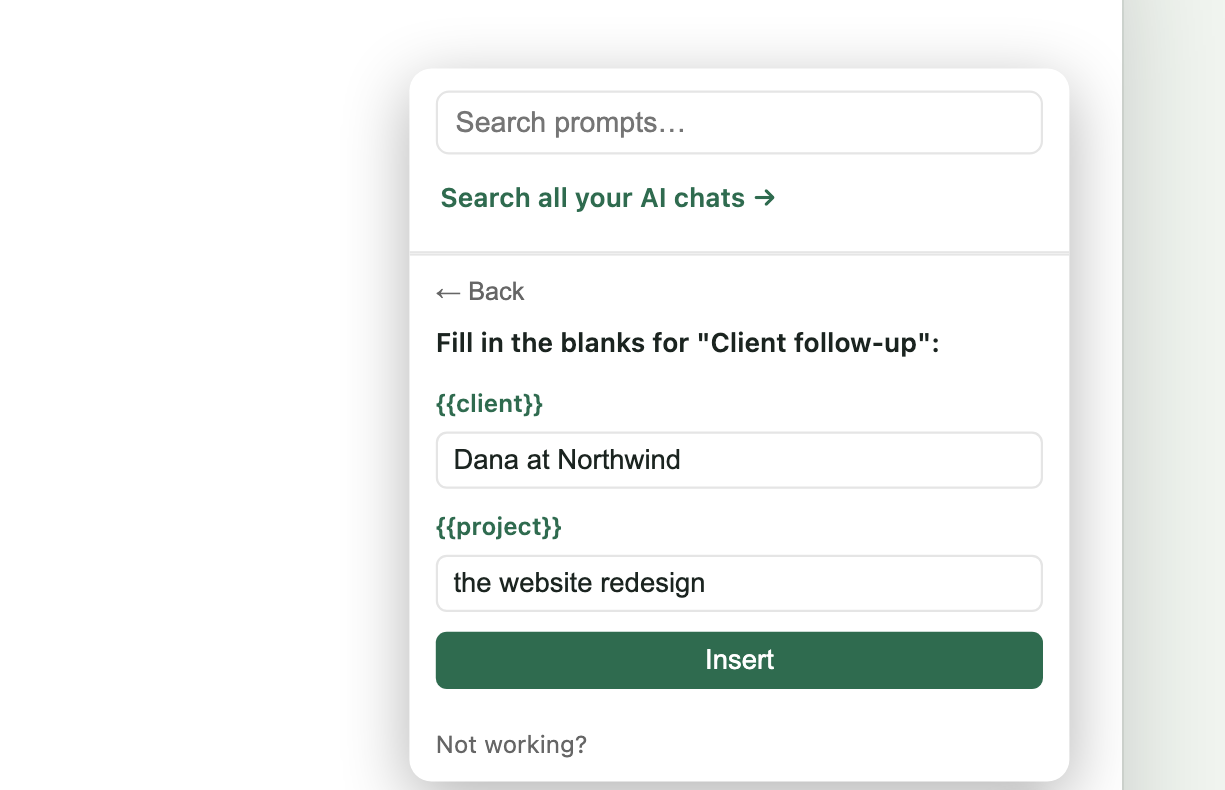
One-click panel
A floating button on the page opens your library. With Pro, it asks for any blanks before a prompt goes out.
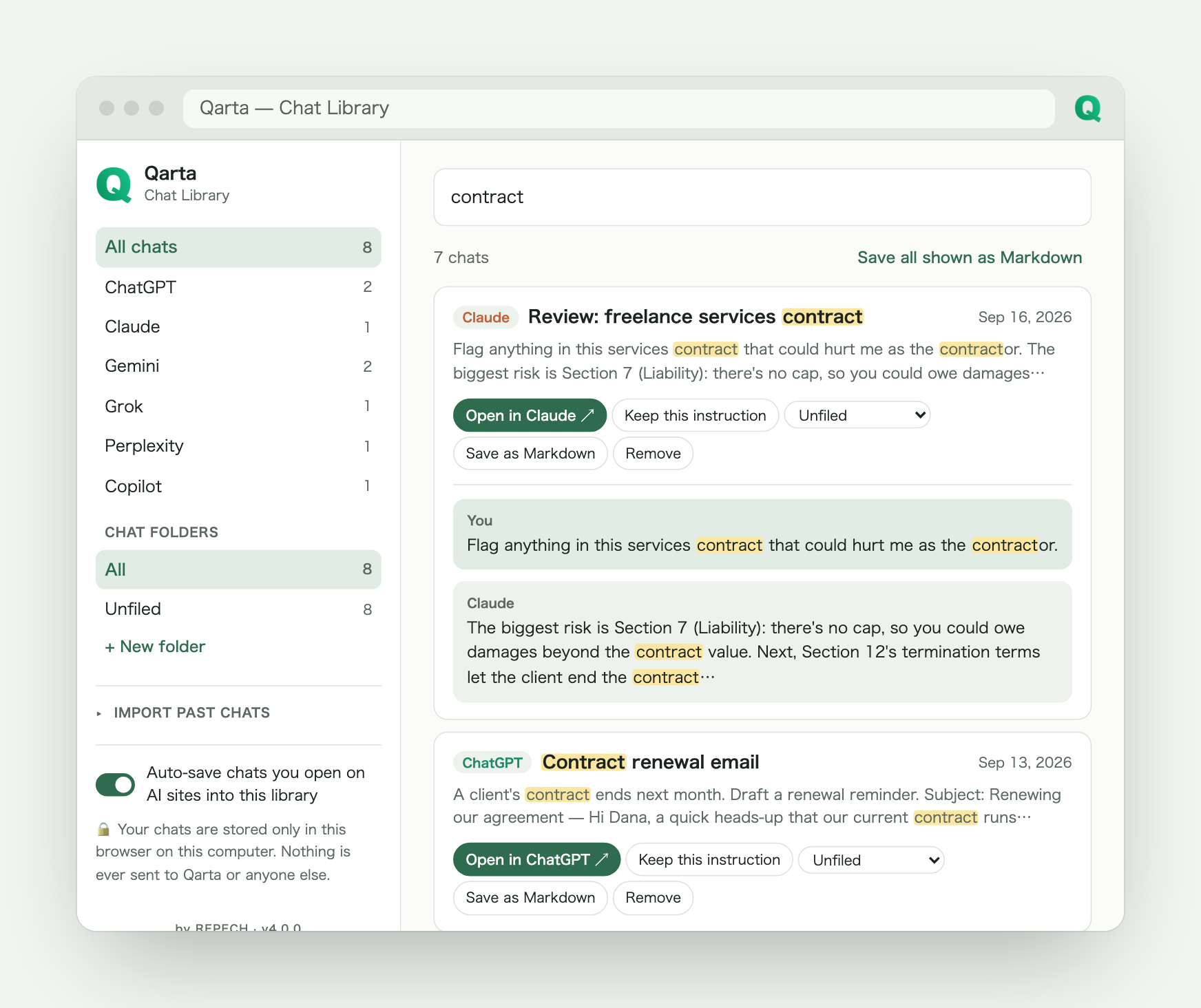
Every AI chat you've had, searchable in one place.
That great answer from three weeks ago is one search away — no matter which AI gave it.
- Chats you open are saved automatically, and you can switch that off — ChatGPT, Gemini, Copilot (personal), Claude, Perplexity and Grok
- Search every title and message at once, and file chats into folders
- Bring in your full history from ChatGPT's or Claude's official data export
- Stored only in your own browser — nothing is ever uploaded
Searching and reading chats is free on all six AIs. Pro adds Markdown export and unlimited folders.
This isn't a demo. This is a Tuesday.
It's 9am. Five client updates are due by lunch.Pro
You open last week's email, scrub for the right paragraph, swap in a name. Then you do it again. And again. Somewhere around client three, you stop double-checking — which is exactly how the wrong name ends up in someone's inbox. With Qarta, you fill in one blank per client and hit send. All five, before your coffee's cold.
You know you wrote the perfect prompt. Three weeks ago.
You remember it was good — really good. You just can't remember which chat, which day, or how far back you'd have to scroll to find it. So you give up and write a worse version from scratch. In Qarta, you'd have saved it the moment you wrote it — just a name, one click. And even if you didn't, the chat itself is in your library: search one word and it's back.
ChatGPT gave you an answer. Something feels off.Pro
So you paste the same prompt into a new tab for Claude. Then Gemini. Then Grok — opening each site, pasting, hitting enter, one at a time. In Qarta, you tick every site you want in the side panel and send once. All of them open, all of them get the exact same prompt, at the same time.
Free on all six AIs. Pro is for working at scale.
No sign-up to start. Your prompts live in your own Chrome sync storage, never on our servers.
- ChatGPT, Gemini, Copilot (personal), Claude, Perplexity & Grok (Copilot and Grok ask for permission the first time)
- 10 saved prompts, no account
- Auto-send after inserting (optional)
- Right-click any selected text → Save to Qarta
- Chat library for every site — search and read all of it
- 72 ready-to-use templates across 6 jobs — all readable, all free to add
- Sort chats into 3 folders
- Syncs across your computers when Chrome sync is on
- Back your prompts up to a file and restore them on any plan (as far as the 10 slots reach)
- Unlimited saved prompts (Free has 10)
- One send reaches several AIs, and their answers line up on one screen
- Save chats as Markdown, with unlimited folders
{{variable}}placeholders, with choices and today's date — fill in the blanks before inserting- Pin your most-used prompts to the top
- Hand a saved prompt to anyone with one link
Qarta is a Chrome extension for your computer — open this page in Chrome on a desktop or laptop to install it.
Start free, then upgrade to Pro anytime from Qarta's side panel.
72 work prompts, free to copy.
Sales, marketing, product, operations, engineering and freelancing — copy one and paste it into any AI chat. They also come built into Qarta, one “/” away.
- 商談後のお礼メール
- 提案書の骨子づくり
- プレスリリースの下書き
- SNS投稿を3パターン
- 会議のアジェンダ作成
- 議事録の整形
- ビジネスメールの下書き
- お詫びメールの文面
- コードレビューの観点出し
- エラーの原因調査
- 提案・見積の送付メール
- 納期・仕様変更のお願い
- Follow-up after a call
- Cold outreach opener
- Social posts, three angles
- Blog post outline
- Meeting agenda
- Clean meeting notes
- Professional email draft
- Apology email
- Code review
- Debug an error
- Proposal email
- Scope-change request